
Our new Multimedia Studio is now available for you to film projects like video podcasts, commercials, and presentations. This studio was made possible by generous grants from Samtec Cares and the Bales Foundation, and invaluable product recommendations, advice, and training from Miguel Hampton.
Features
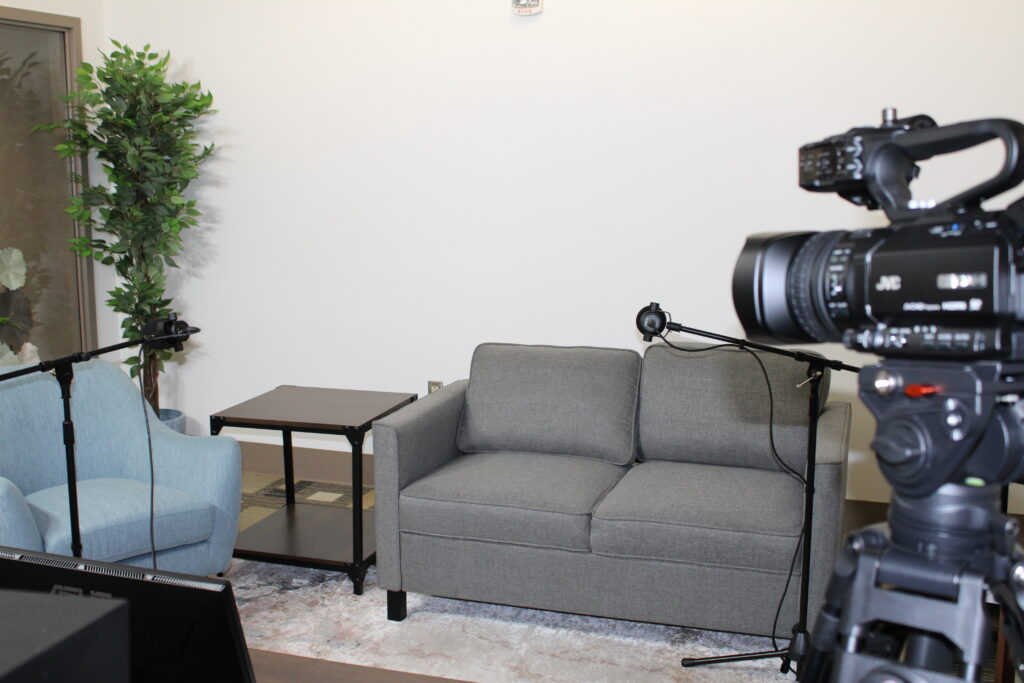
The Multimedia studio features a basic set with a small couch, chair, coffee table, faux plants, and a confidence monitor, as well as the following equipment:
- (2) JVC GYHM180U video cameras
- (2) Dracast DRX1800RGB LEDs
- (2) Rode Podmics
- Rode Rodecaster Pro II
- (2) JBL 3 Series studio monitors
- Presonus monitor station V2
- ATEM Mini Extreme ISO
We have both DaVinci Resolve and Adobe Premiere Pro available for video editing. We usually recommend using DaVinci Resolve because it syncs with our recording software.
What You’ll Need
- JTPL library card in good standing (no outstanding fines or fees)
- Taken the Multimedia Studio Certification Class
- External hard drive (
USB-Cworks best)
Cost
There is no cost to use our space! Please be advised that we do NOT sell external hard drives. While you can purchase small flash drives at our circulation desk, they will generally not be big enough to store a video project so it’s important that you bring your own external hard drive with you.
Station Reservations
*only available once you have taken the Multimedia Studio Certification class
Upcoming Trainings
Equipment Availability
- You are permitted one three-hour session per day, with a one-hour minimum booking.
- Extra time may be granted (at the discretion of staff) if no one is waiting; however, this courtesy cannot be guaranteed.
- You have a 15-minute grace period before your reservation is automatically cancelled.
- We strongly encourage you to book ahead of your visit to ensure availability.
Learn More
Do you want to get more information before you dive in? Then check out some YouTube videos on our equipment:
- ATEM Mini Extreme ISO GETTING STARTED PART ONE & PART TWO
- Learn ATEM Software Control In Under An Hour (Full Tutorial)
- DaVinci Resolve – COMPLETE Tutorial For Beginners!
- Adobe Premiere Pro Tutorial for Beginners – Complete Guide!
- Adobe Premiere Video Training (official Adobe)
- RØDECaster Pro II: How to Get Started
Page reviewed: 13 August 2026